Save recipes from Instagram, TikTok and any website
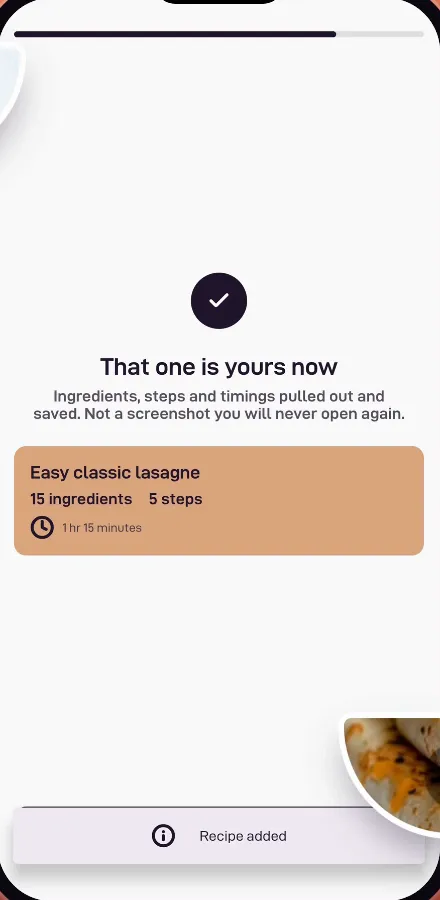
Paste a link and get a real recipe, with ingredients, steps and timings, ready to plan and cook. Not another screenshot you’ll never open.



Stop losing recipes in your camera roll
The best recipes show up when you’re not cooking: a reel on Instagram, a TikTok on the bus, a YouTube video late at night. Saving them as screenshots or bookmarks means they end up buried. Bites gives every one of them a proper home.
How to save a recipe from a link
- Copy the link to the Instagram post or reel, TikTok video, YouTube video or recipe website.
- Open Bites and paste it. Bites can even offer to use the link you just copied.
- Get a recipe card with the ingredients, steps, timings and servings, ready to edit, plan or cook.
Works with the places you find food
- Instagram posts and reels
- TikTok videos
- YouTube videos
- Food blogs and recipe websites
- Recipes you type or paste in yourself
Once a recipe is saved, sort it into collections like “Weeknight dinners” or “Baking”, translate it into your language, add it to your meal plan or send its ingredients to your grocery list.
Questions, answered
Can I save a recipe from an Instagram reel?
Yes. Copy the reel’s link, paste it into Bites and it saves the recipe as a card with ingredients and steps.
Does it work with TikTok and YouTube?
Yes. Paste a TikTok or YouTube link and Bites pulls the recipe out for you.
What about recipe websites?
Almost any recipe website or food blog works. Paste the address and Bites skips the life story and keeps the recipe.
Explore more of Bites

Your recipes, finally in one kitchen
Save it, plan it, shop it, cook it. Download Bites and turn tonight’s idea into dinner.